Introduction
Welcome to Intro to Python. This book teaches Python without building terminal text-mode UI apps: we do not use Textual, Rich, or similar console UI libraries.
The first part of the course is core Python: syntax, control flow, modules, automated testing with pytest, and Pydantic / JSON. HTTP, FastAPI, Uvicorn, and HTTPX are saved for the final chapters, after virtual environments and dependency setup—so the web stack comes last.
Your work lives in a GitHub Classroom repository created from a base template. The book gives theory, directions, and code samples; you implement in that template and push for review.
Grading: Assignments are checked in part by an autograder on GitHub Classroom that runs pytest. You will learn to run pytest locally early on; the official tests live on the grader side.
Warning
Do not push your own tests
Practice tests stay local. The autograder supplies tests that you do not need to modify. Never commit or push personaltest_*.pyfiles you wrote for practice,.pytest_cache/, or__pycache__unless your instructor explicitly tells you otherwise. See Testing with Pytest for more details.
Important
GitHub Classroom
- Open Accept the GitHub Classroom assignment.
- Sign in to GitHub, accept the assignment, and wait for your personal repository.
- Complete any email / invitation steps your course requires.
- Clone your repo and open the project in your editor. (Virtual environments are covered near the end, right before the web chapters.)
Note
One template, whole series
Pay attention to various assignments listed in this book as some will have you clone additional class repos.
Tip
Submit after each milestone
When you finish a chapter’s exercises, commit with a clear message and push tomain(or the branch your instructor uses).
Warning
Feedback pull request
If your repo has a Feedback PR for instructor comments, do not merge or close it. Keep working onmainand pushing; treat that PR as a discussion thread only.
Capstone preview
There will be a capstone project that will come at the end and here is a small preview of that project.
The final project is a Python web server (FastAPI + Uvicorn) that exposes a custom route:
- Path:
GET /ping - Response body (JSON):
{"message": "pong"}
The path through the book is: basics → pytest mindset → more Python → Pydantic/JSON → venv & packages → HTTP client → FastAPI → Uvicorn → capstone.
What you need
- Python 3.12+ (match your template’s
requires-pythonif it specifies one). - Git and a code editor.
- A terminal to run
python,pip, and laterpytestanduvicorn.
Your Turn
The code that you cloned for your first assigment is prepped with some boiler plate code. There are code comments in hello.py the direct you what to do.
Make your edits and commit/push your code back up to your provided repo.
Results
Once you push your code, an automated test will run and score your assignment. To see the details, you can click on the Actions tab for your repo. Here is what that could look like.
In the GUI, or the GitHub website, click on the Actions tab.

From there, you will be able to drill down into any section you’d like. The scored results are under the Autograding Reporter section.
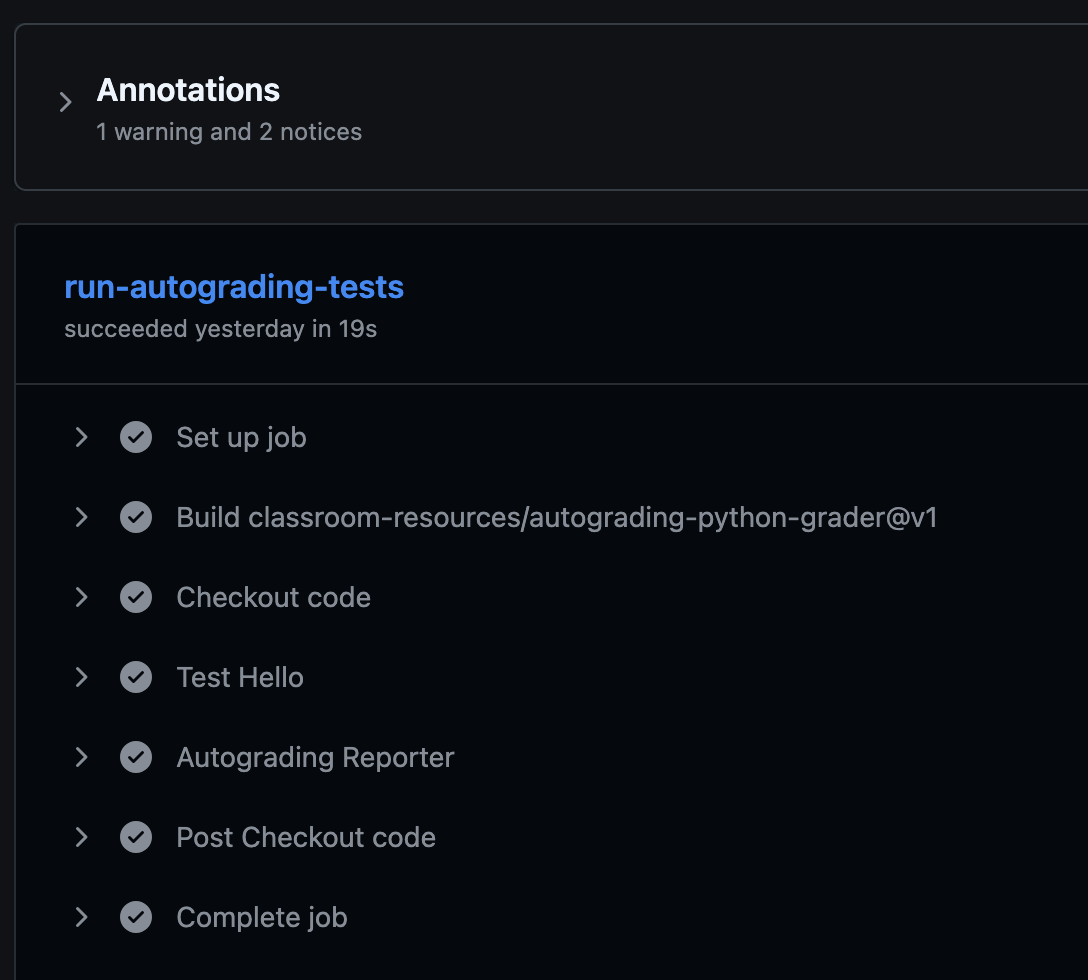
Expand the Autograding Reporter to see the finer details and your score.
🔄 Processing: test-hello
✅ test main prints hello world - line 4
Test code:
    """Check that main() prints exactly 'Hello, World!'"""

    # Run the student's main function
    hello.main()

    # Capture everything that was printed
    captured = capsys.readouterr()

    # Clean up the output (remove extra spaces/newlines)
    output = captured.out.strip()
    expected = "Just write 175 lines of Python"

    # Use pytest.fail() instead of assert → no ugly diff at the bottom!
    if output != expected:
        pytest.fail(f"Expected exactly this: {expected} But your main() printed: \
{output}")

Total points for test-hello: 50.00/50

Test runner summary
┌────────────────────┬─────────────┬─────────────┐
│ Test Runner Name   │ Test Score  │ Max Score   │
├────────────────────┼─────────────┼─────────────┤
│ test-hello         │ 50          │ 50          │
├────────────────────┼─────────────┼─────────────┤
│ Total:             │ 50          │ 50          │
└────────────────────┴─────────────┴─────────────┘
🏆 Grand total tests passed: 1/1

Notice: Points 50/50
Notice: {"totalPoints":50,"maxPoints":50}